Is it 100% safe to use VVDI2 programmer to program CAS4/CAS4+ key by OBD? The answer is yes, you need to use Esys to program.
How to read & program BMW CAS4 CAS4+ with VVDI2 by OBD Cable?
Just made an extra key to a 14 528i within 15 min by OBD with VVDI2.
No flashing just unlock CAS4 in about 10 min.


I always run a jumper cable from my running van to the BMW I’m working on & never had a problem, only time I bricked a CAS3++ was when I was downgrading & battery died
That’s exactly how I did it & super easy!
VVDI for CAS4 / CAS4+ via OBD Review 1.
Yes. If you read few posts up you will see few people done that.
I did few with obd.
VVDI for CAS4 / CAS4+ via OBD Review 2.
Some it works and others not. The 7 Series I tried about 2 weeks ago, it gave me an error stating CAS4 software version was higher than expected and that if I continued it could corrupt the CAS4. I then did it by VVDI prog and eeprom dump.
The I tried on 5 series F10 and it worked nicely through OBD. Only thing to remember is the part where it shows to PROGRAM DEALER KEY VIA PROGRAMMER or the second one is PROGRAM DEALER KEY VIA IGNITION.
If you select the Programmer option then the wireless function of the key does not work. You need to hold at steering column to start.
If you choose the option PROGRAM VIA IGNITION then everything works 100%.
This has been confirmed by another person who experienced same problem with VVDI2 and CAS4 by OBD.
VVDI for CAS4 / CAS4+ via OBD Review 3.
I did two CAS 4 already with VVDI2 and seems to be funny. I found two issues:
One of them could not reset mileage despite say OK
Another one could not restore coding even with Autohex.
Eventually fixed everything but too long.
Suggestion:
Do you recommend backing up coding with esys first? If you brick the CAS do you think esys could reflash it by obd?
VVDI for CAS4 / CAS4+ via OBD Review 4.
Cas4 by OBD2TOOL is only for key learning.
Its safe because we do not need to write any memory (like mileage…)
Its just read mcu.
And make dealer key.
Like bmwexplorer
How to do:
The cas also needs to be preprocessed, if any error when preprocessing, it also has risk.
So it’s still better to make a backup first…
If you do backup than you don’t need downgrade it. You can generate keys with your backup files
Actually if you look in the pic it vvdi will flash mcu.
Anyway, CAS4 by OBD is going to make BMW a lot of money in spare parts.
Thanks to all the genuine users’ feedback and
How to read & program BMW CAS4 CAS4+ with VVDI2 by OBD Cable?
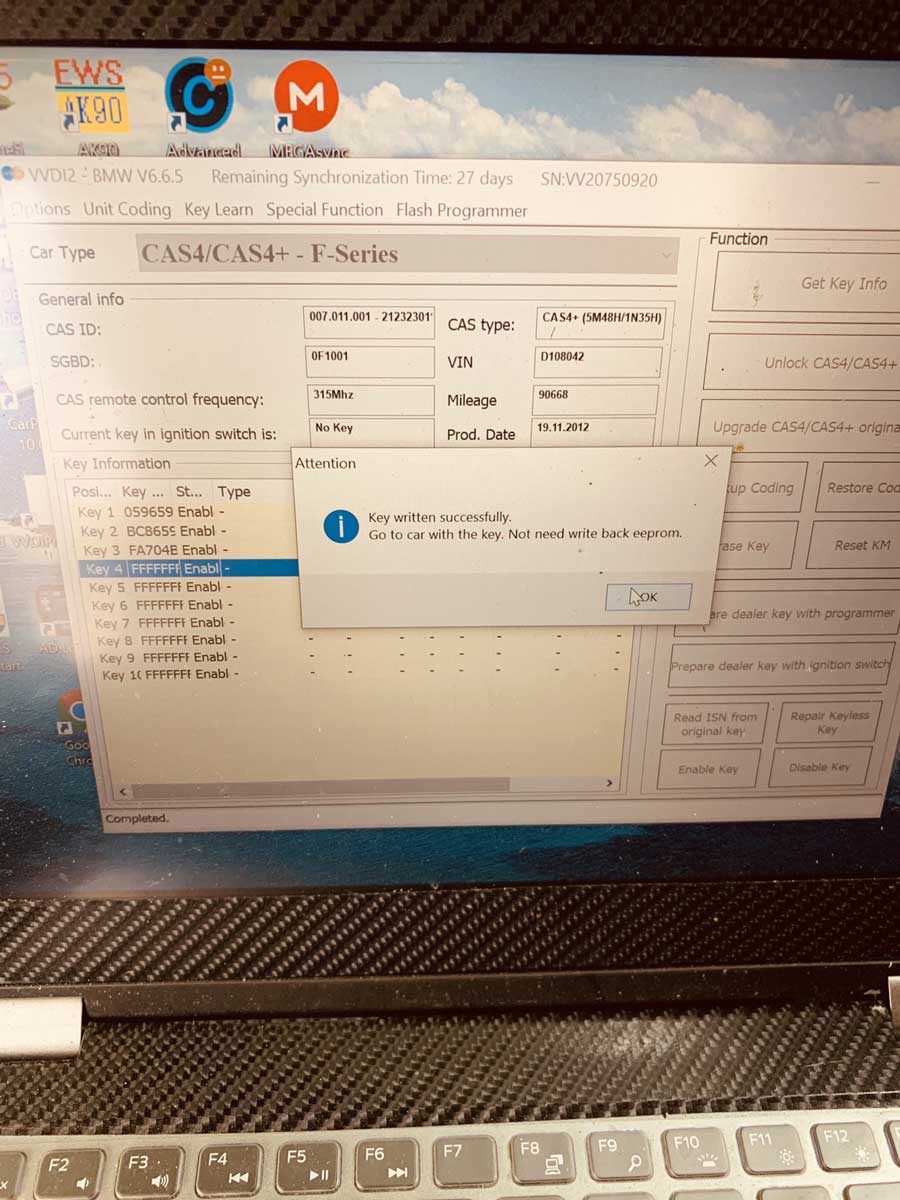
Just made an extra key to a 14 528i within 15 min by OBD with VVDI2.
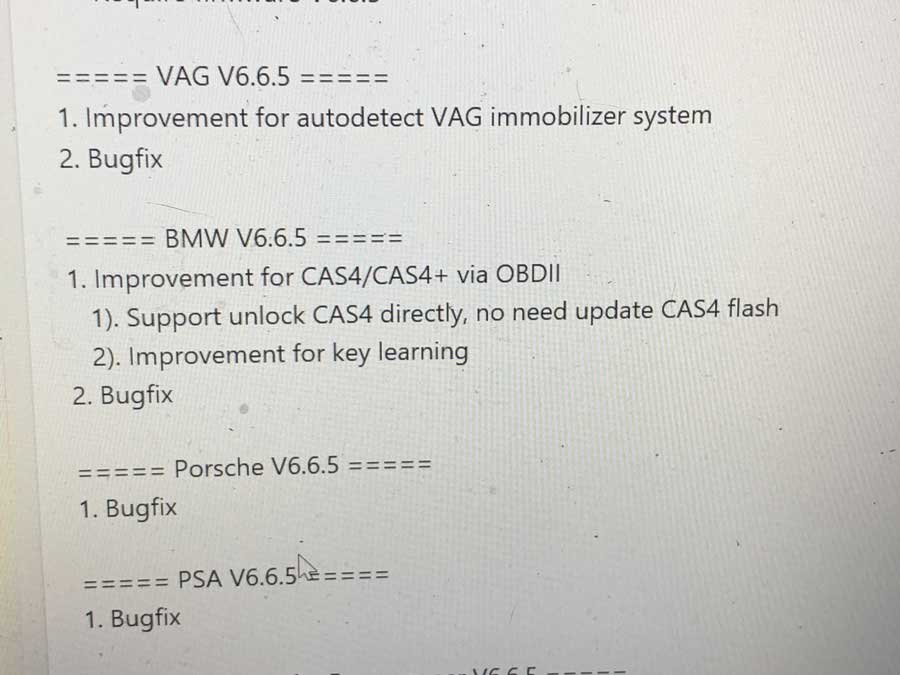
No flashing just unlock CAS4 in about 10 min.
I always run a jumper cable from my running van to the BMW I’m working on & never had a problem, only time I bricked a CAS3++ was when I was downgrading & battery died
That’s exactly how I did it & super easy!
VVDI for CAS4 / CAS4+ via OBD Review 1.
Yes. If you read few posts up you will see few people done that.
I did few with obd.
VVDI for CAS4 / CAS4+ via OBD Review 2.
Some it works and others not. The 7 Series I tried about 2 weeks ago, it gave me an error stating CAS4 software version was higher than expected and that if I continued it could corrupt the CAS4. I then did it by VVDI prog and eeprom dump.
The I tried on 5 series F10 and it worked nicely through OBD. Only thing to remember is the part where it shows to PROGRAM DEALER KEY VIA PROGRAMMER or the second one is PROGRAM DEALER KEY VIA IGNITION.
If you select the Programmer option then the wireless function of the key does not work. You need to hold at steering column to start.
If you choose the option PROGRAM VIA IGNITION then everything works 100%.
This has been confirmed by another person who experienced same problem with VVDI2 and CAS4 by OBD.
VVDI for CAS4 / CAS4+ via OBD Review 3.
I did two CAS 4 already with VVDI2 and seems to be funny. I found two issues:
One of them could not reset mileage despite say OK
Another one could not restore coding even with Autohex.
Eventually fixed everything but too long.
Suggestion:
Do you recommend backing up coding with esys first? If you brick the CAS do you think esys could reflash it by obd?
VVDI for CAS4 / CAS4+ via OBD Review 4.
Cas4 by OBD2TOOL is only for key learning.
Its safe because we do not need to write any memory (like mileage…)
Its just read mcu.
And make dealer key.
Like bmwexplorer
How to do:
The cas also needs to be preprocessed, if any error when preprocessing, it also has risk.
So it’s still better to make a backup first…
If you do backup than you don’t need downgrade it. You can generate keys with your backup files
Actually if you look in the pic it vvdi will flash mcu.
Anyway, CAS4 by OBD is going to make BMW a lot of money in spare parts.
Thanks to all the genuine users’ feedback and
Comments
Post a Comment