Autel MaxiIM + MaxiSys Comparison Chart
| HARDWARE | MaxiCheck MX808 | Autel MaxiIM IM508 | MaxiSys MS908S | Autel MaxiIM IM608 | Autel Maxisys Elite |
| Image | 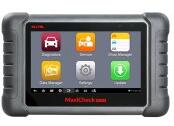 |
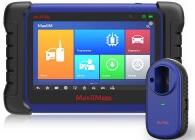 |
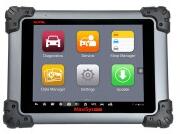 |
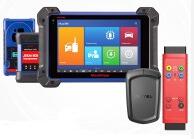 |
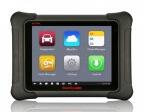 |
| Vehicle connection | OBDII cable | OBDII cable | Wireless maxisys VCI | MaxiFlash JVCI | J2534 MaxiFlash Elite |
| Color screen | 7 inch touchscreen | 7 inch touchscreen | 10 inch touchscreen | 10 inch touchscreen | 10 inch touchscreen |
| Processor | 1.5GHz quad core | 1.7GHz hexa core | 1.3GHz + 1.7GHxhexa core | 1.7GHz hexa core | 1.8GHz quad core |
| Onboard memory | 32GB SSD/ 1GB RAM | 32GB SSD/ 1GB RAM | 64GB SSD/ 2GB RAM | 64GB SSD/ 2GB RAM | 64GB SSD/ 2GB RAM |
| Battery | 5,000 mAh | 5,000 mAh | 11,000 mAh | 15,000 mAh | 13,600 mAh |
| OBDII Connectors | 1995-2001 kit | 1995-2001 kit | |||
| Operating system | Android 4.4.4 | Android 4.4.2 | Android 4.4.2 | Android 4.4.2 | Android 4.4.4 |
| Software Updates | 1 Year FREE | 1 Year FREE | 1 Year FREE | 1 Year FREE | 1 Year FREE |
| DIAGNOSTICS | |||||
| OE-Level coverage 1996+ | US/AS/EU 1996+ | US/AS/EU 1996+ | US/AS/EU 1996+ | US/AS/EU 1996+ | US/AS/EU 1996+ |
| System diagnostics | Auto VIN & all system auto scan | Auto VIN & all system auto scan | Auto VIN & all system auto scan | Auto VIN & all system auto scan | Auto VIN & all system auto scan |
| Read/Erase codes | YES | YES | YES | YES | YES |
| Live & Freeze frame data | View, Record,Playback | View, Record,Playback | View, Record,Playback | View, Record,Playback | View, Record,Playback |
| MaxiSys software applications | SHOP & DATA Manager | SHOP & DATA Manager | SHOP & DATA Manager | SHOP & DATA Manager | SHOP & DATA Manager |
| Component activations | Bi-directional control | Bi-directional control | Bi-directional control | ||
| Enhanced functions | Advanced coding+ adaptation | Advanced coding+ adaptation | |||
| SERVICE | |||||
| Oil Service Reset | YES | YES | YES | YES | YES |
| Parking Brake Pad relearn after replacement | YES | YES | YES | YES | YES |
| Steering angle sensor relearn | YES | YES | YES | YES | YES |
| Battery register and reset | YES | YES | YES | YES | YES |
| Diesel particulate filter regeneration | Reset diesel emissions | Reset diesel emissions | Reset diesel emissions | Reset diesel emissions | Reset diesel emissions |
| TPMS | Sensor ID relearn | Sensor ID relearn | Sensor ID relearn | Sensor ID relearn | Sensor ID relearn |
| ECU Coding | YES | YES | YES | ||
| IMMO | |||||
| Read PIN/CS (All key lost) | YES | YES | |||
| Key generation & learning | YES | Non-16ghsecurity keys | YES | Non-16ghsecurity keys | |
| IMMO ECU reset/adaptation | YES | YES | YES | YES | |
| IMMO ECU refresh/coding | YES | YES | YES | YES | |
| Backup/RestoreECU data | YES | YES | |||
| Benz 3rd generation immo add key, all keys lost, key learning | With XP400 | YES | |||
| BMW FEM/BDC key learning & ECU adaptation | YES | YES | |||
| BMW CAS4/3/2 Key learning | CAS4 compatible with XP400 | YES | |||
| VW/Audi MQB (VDO & JCD) add key, immo V A4/A5/Q5 2015+ key learning | YES | ||||
| VW Audi Skoda Seat IMMO III/IV/V add key, all keys lost | YES | YES | |||
| KEY PROGRAMMING | |||||
| Key read/write | YES | Limited domestic and Asian 2014 and other | YES | Limited domestic and Asian 2014 and other | |
| EEPROM read/write | YES | YES | |||
| MCU read/write | Basic | Advanced | |||
| ECU, IC card & MC9S12 encryption chip read/write | With XP400 | YES | |||
| Mercedes IN RAFED key read/write | With XP400 | YES | |||
| Remotefrequency detect | With XP400 | YES | |||
| Support PC | With XP400 | YES | |||
Comments
Post a Comment