How to Fix OBDSTAR “Unfortunately, DiagProgam has stopped.”


To obdstar users: regarding the problem “Unfortunately, DiagProgam has stopped.” that frequently appears recently, it is caused by compatibility issues.

A new apk version v3.8.1 has been released this week to solve this problem. (Note: The solution is applied to any of x300dp, x300 dp plus, odomaster, x300pro4.)

For the obdstar machine which update service is valid, you can directly upgrade the apk to solve this problem.

For the obdstar machine which update service expired, please clear the cache to solve the problem, the drawback is that this problem may occur repeatedly, because there is no way to upgrade the new apk v3.8.1 after the expiration, you have to clear the cache repeatedly.

Please look at the last paragraph on how to clear the cache.

Attention Please:

Never restore factory settings, otherwise the software will be lost and there is no way to restore it.
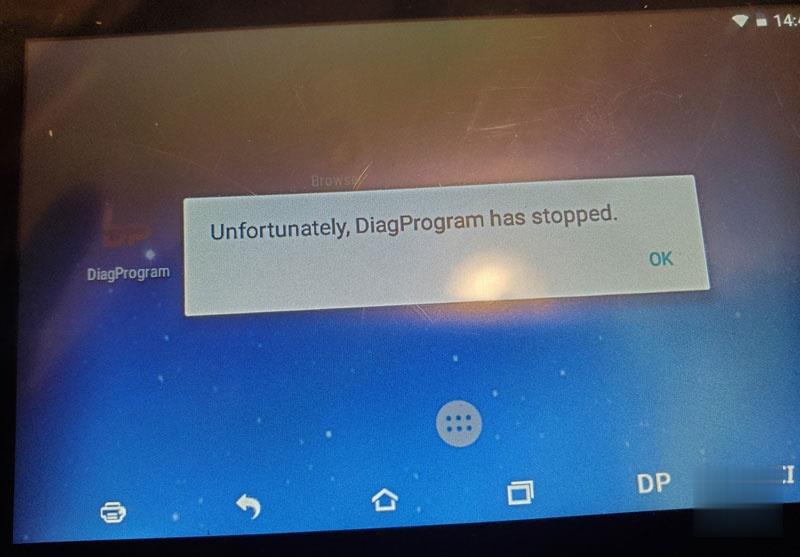
Obdstar-Unfortunately-Diagprogam-Has-Stopped-1 (2)

Guide on how to clear the cache:

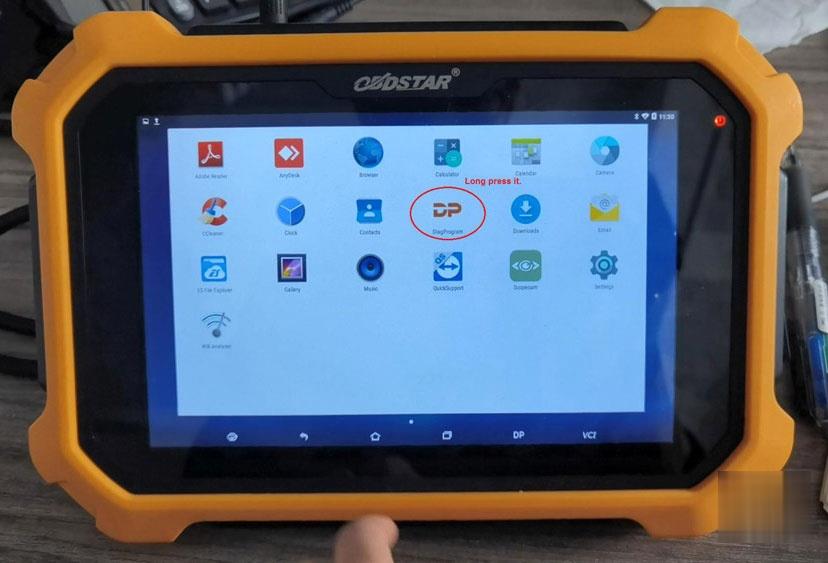
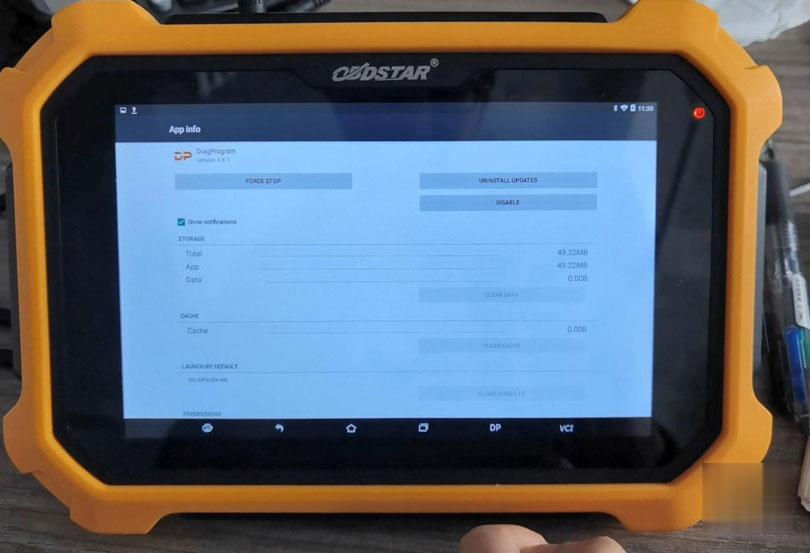
Enter ” DiagProgam”, long press it and drag it into “App Info”
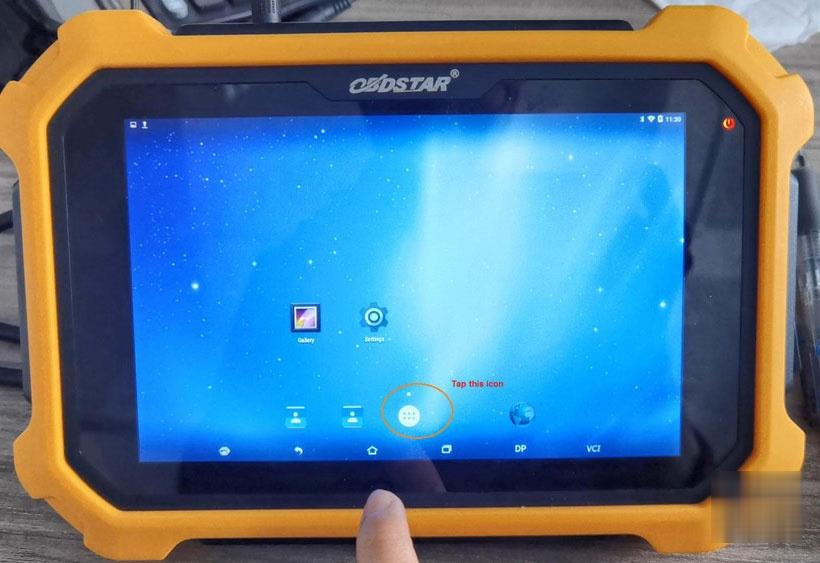
Obdstar-Unfortunately-Diagprogam-Has-Stopped-2 (2)
Obdstar-Unfortunately-Diagprogam-Has-Stopped-3 (2)

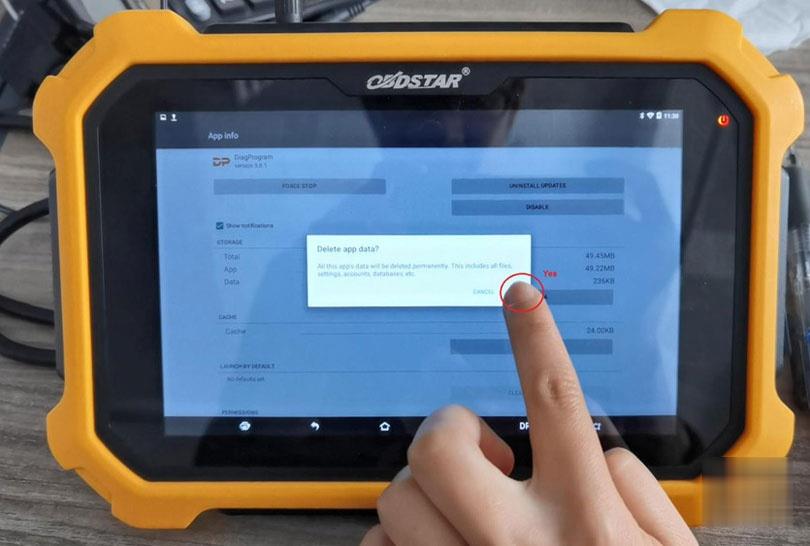
In the APP info, tap “Clear data” and “Yes” to confirm.

Obdstar-Unfortunately-Diagprogam-Has-Stopped-4 (2)
Obdstar-Unfortunately-Diagprogam-Has-Stopped-5 (2)

Okay, the catche is cleared, and the problem is solved. However, please keep in mind, better continue subscribing the update service and update the newest APK.
Obdstar-Unfortunately-Diagprogam-Has-Stopped-6 (2)


Comments

Popular posts from this blog

How to Solve VW Amarok Caddy 2018+ Remote Not Working After Programming

Here comes the general problem of VW Amarok Caddy etc. 2018+ UDS protocol vehicles: 2019 VW Caddy. I spent a few hours programming the Xhorse key using VVDI2 . Also tried TDB1000. Remote function could not be obtained. Every time the programming failed, the original remote stopped working until I scanned and cleared errors. I expected it to work when the transponder was added (Megamos AES). I can’t access remote learning with any of my tools, nor did vvdi2 let me program the remote. I was wondering if anyone could confirm remote learning with transponders or how to learn it if not. Solution: It is not possible for BH remote controls after 2018 at the latest. You will not get any communication with the central locking remote control customization. You need a dealer key 100% and then learn from ODIS. There is no after-market solution, VAG blocked the remote channel on UDS vehicles 2018+. Had the exact same issues with new caddies. So merchant key and Odis ATM since the c...

John Deere Service Advisor 4.2 CF – Construction & Forestry incl. Hitachi + History DVD 2016

John Deere Service Advisor  4.2 CF – Construction & Forestry incl. Hitachi 2/2016 contains detailed information on all the procedures for repair and maintenance, a lot of illustrations, wiring diagrams, electrical and hydraulic circuits for construction and forestry equipment John Deere. Service Advisor contains information about setting up data, troubleshooting procedures, symptoms of malfunctions, the order of disassembly and assembly, adjustment data, torque. Electronic program is designed to handle all maintenance issues, eliminate breakdowns and malfunctions. Installation of this software is very easy and doesn’t require additional knowledge. The program allows you to quickly and easily find information and solve problems with machinery John Deere. This service advisor is designed to work with Windows XP, 7, 8. This software works under Windows 10 but wasn’t tested with EDL adapter and drivers. This version of Service Advisor has built-in hot...

How to Install Mercedes Benz DTS Monaco 8.16 Software

  This instruction show you the guide on how to install Mercedes Benz DTS Monaco Software . Preparations: Benz DTS Monaco Software Free Download After finish downoading and extract you will get below files Double click DTS-Setup to start installation Then just click default option to continue Click Finish Copy files in the repalce folder to DTS Monaco installation folder replace C:\Program Files(x86)\Softing\Diagnostic Tool Set 8\8.16\bin Then run “DTS Monacon” icon on desktop,it will show you the HWID and ask you to activate Please sent me your HWID to me(sales@obd2tool.com),we will sent you a activate file and license file When you get the xxx.reg file,doulbe click it to register it to your pc,click yes to add it the registy Run DTS Monaco and select “Administrate and manage DTS projects’ Select “System”–>”Add license” Load the License_0000000000000.bin file i sent you before Now your DTS Monaco have activated successfully! DTS Monaco 8.03.12 Softw...